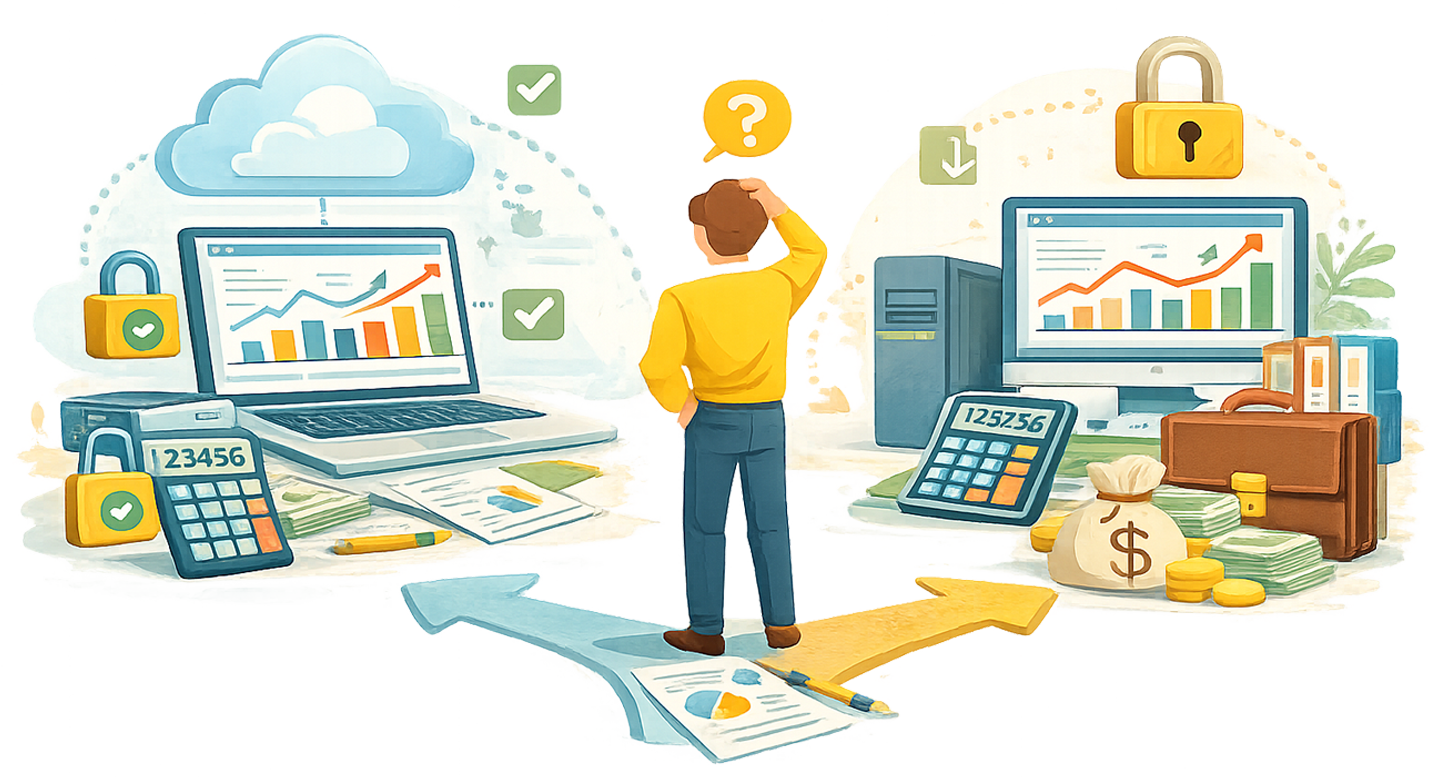
Today, over 62% of SMBs have already moved to cloud accounting software. The market is shifting, and businesses that still operate on desktop versions need to evaluate whether their setup still serves them properly or if a change is the right move forward.
What Is the Difference Between Cloud and Desktop Accounting Software?
- Cloud accounting: Hosted on remote servers, accessed via browser or app from any device. Examples: QuickBooks Online, Xero, FreshBooks. Subscription pricing (monthly).
- Desktop accounting: Installed locally on one computer. Data stored on that machine or a local server. Examples: QuickBooks Desktop, Sage 50, AccountEdge. One-time purchase ($200-$500) or annual license.
| Feature | Cloud | Desktop |
| Access | Any device, anywhere with internet | Only on installed computer(s) |
| Cost Structure | Monthly subscription ($20-$275/mo) | One-time purchase ($200-$500) + optional support |
| Updates | Automatic, always current | Manual, often requires new purchase for major versions |
| Data Backup | Automatic cloud backups | Manual (your responsibility) |
| Multi-User Access | Built-in, real-time collaboration | Limited, often requires network setup |
| Integrations | 1,000+ apps (payments, payroll, CRM, etc.) | Limited third-party connections |
| AI Features | Transaction categorization, anomaly detection, forecasting | None or very basic |
| Internet Required | Yes | No |
| Tax Compliance Updates | Automatic (rules update in real-time) | Requires manual update or new version purchase |
Why Are Most Small Businesses Moving to Cloud Accounting?
Key data points to include:
- 62% of SMBs have already migrated to cloud-based accounting platforms.
- Cloud-based solutions represent 68% of the accounting software market share in 2025.
- The cloud accounting market is projected to grow at 10.46% annually through 2033.
- AI-driven features account for 60%+ of adoption drivers among small business users.
- Companies using AI-powered cloud accounting report 80% faster bookkeeping and 90% less manual data entry.
Guess how many accountants today work from home… 40%. I know! Insane!
Cloud accounting software allows accountants to work remotely, collaborate in real-time with their team members, automate tax compliance updates, and even integrate AI automations. If you’re a Florida small business owner, your CPA is at an advantage when using cloud accounting software.
What Are the Best Cloud Accounting Software Options in 2026?
QuickBooks Online
- Pricing: $20-$275/month (note: 15-25% price increase in May 2026)
- Best for: Most small businesses, especially those with inventory or e-commerce
- Key AI feature: Intuit Assist for auto-categorization, invoice reminders, transaction matching
- Watch out for: Renewal price increases of 20%+ are common
Xero
- Pricing: $25-$90/month
- Best for: Growing businesses with multiple team members (unlimited users on every plan)
- Key strength: 1,000+ app marketplace, strong collaboration features
- Watch out for: Fewer direct integrations with US-specific payroll providers
FreshBooks
- Pricing: $11-$250/month
- Best for: Service-based businesses and freelancers
- Key strength: Best invoicing experience, built-in time tracking and project management
- Watch out for: Lighter on accounting features compared to QBO and Xero
Wave
- Pricing: Free for accounting and invoicing
- Best for: Solo operators and very small businesses watching every dollar
- Key strength: Genuinely free core product
- Watch out for: Limited features, fewer integrations, paid add-ons for payroll and payments
Choosing the right software is only half the equation; how you set it up and use it determines whether it actually saves you time and money. That’s where working with a CPA, like Cloud Accounting Group, who understands these platforms makes a difference.
When Does Desktop Accounting Software Still Make Sense?
- Unreliable internet: Rural areas or locations with spotty connectivity. Desktop works offline without interruption.
- One-time cost preference: Businesses that prefer a $200-$500 one-time purchase over monthly subscriptions that add up.
- Highly customized legacy setups: Some manufacturing or specialized businesses have desktop workflows deeply integrated into their operations.
- Data sovereignty concerns: Businesses that want their financial data stored only on hardware they physically control.
- Simple, stable needs: A solo operator with straightforward books and no need for collaboration may not benefit from cloud features.
These are the very specific cases in which desktop accounting software is still applicable today. In most other scenarios, cloud accounting software is the better choice.
Is Cloud Accounting Software Secure?
Cloud providers invest heavily in encryption, firewalls, regular security audits, and multi-factor authentication. Major platforms (QBO, Xero) use bank-level encryption (256-bit AES).
Desktop is not inherently safer: Local machines are vulnerable to hard drive failure, theft, ransomware, and fire. Most small businesses do not maintain adequate backup protocols.
Shared hosting risks: Cloud servers host multiple clients per machine, which some businesses find concerning. However, data isolation practices and encryption make this a low-risk factor with reputable providers.
Your responsibility in the cloud: Strong passwords, multi-factor authentication, employee access controls, and regular permission reviews are on you regardless of platform.
Be sure to check the encryption (256-bit AES, SOC II Type II, etc.) before signing up for software. For most small businesses, cloud accounting is more secure than desktop because it includes automatic backups, enterprise-grade encryption, and automatic patching that most small businesses would never maintain on their own.
How Do You Switch from Desktop to Cloud Accounting?
Step-by-step migration outline:
- 1. Back up everything first. Create a complete backup of your desktop data and store it separately. This is your fallback.
- 2. Start small. Do not migrate your entire operation at once. Pick one area or one client file to test the workflow.
- 3. Map your data. Desktop and cloud formats are not always compatible. Chart of accounts, vendor lists, and transaction history may need reformatting.
- 4. Reconcile after migration. Spot-check balances, trial balances, and bank reconciliations against your original desktop file.
- 5. Run parallel for one month. Keep desktop operational while you verify the cloud system is capturing everything correctly.
- 6. Train your team. Cloud workflows are different. Invest time in training so the transition does not slow your operations.
Cloud Accounting Group helps businesses plan and execute this migration so nothing falls through the cracks.
What Role Does AI Play in Cloud Accounting Software Now?
- Auto-categorization: AI learns from your corrections. Systems like Puzzle and Truewind achieve 98-99% accuracy on transaction categorization.
- Anomaly detection: AI flags unusual transactions, duplicate payments, or spending spikes in real time.
- Smart reconciliation: Automatic matching of bank transactions to invoices and expenses. Reduces month-end close from days to hours.
- Predictive forecasting: Cash flow projections based on historical patterns and current data.
- Natural language queries: Ask your accounting software questions in plain English (e.g., Intuit Assist in QBO).
AI is eliminating the manual data entry that used to consume 60-80% of bookkeeping time, so your accountant can focus on the advisory work that actually grows your business.
FAQ Section
Is cloud accounting software safe for my financial data?
Answer: Yes. Major platforms use bank-level encryption and automatic backups. For most small businesses, cloud is actually more secure than desktop because it eliminates risks from hard drive failure, theft, and inconsistent manual backups. Enable multi-factor authentication and use strong passwords.
How much does cloud accounting software cost compared to desktop?
Answer: Cloud ranges from free (Wave) to $275/month (QBO Advanced). Desktop is $200-$500 one-time but may require annual support fees and periodic version upgrades. Over 3+ years, total cost often converges. Cloud includes updates, backups, and support in the subscription price.
Can I switch from QuickBooks Desktop to QuickBooks Online?
Answer: Yes. Intuit provides a migration tool for QBD-to-QBO conversion. Back up your desktop file first, run the conversion, then reconcile all accounts to verify data integrity. Some custom reports and advanced inventory features may not transfer exactly. Consider professional help for complex files.
What happens to my data if my cloud accounting provider goes down?
Answer: Reputable providers maintain redundant servers across multiple data centers, so outages are brief and rare. Your data is backed up automatically. Most platforms also let you export your full data at any time as a CSV or backup file for your records.
Do I still need an accountant if I use cloud accounting software?
Answer: Yes. Software handles data entry and organization, but it does not replace strategic tax planning, compliance review, or financial advisory. Cloud actually makes working with your accountant easier by giving them real-time access to your books instead of waiting for quarterly data drops.
Which one is right for your business?
For most Florida small businesses, cloud accounting software is the right choice in 2026. Desktop accounting does make sense when one has unreliable internet, a one-time cost preference, a highly customized legacy setups, data sovereignty concerns, and simple, stable needs. Here is the Complete Guide to Bookkeeping for Small Businesses in FL if you want to take a look. Lastly, Cloud Accounting Group helps Stuart-area businesses choose, set up, and optimize their accounting software. Get a free consultation with a Small Business accounting expert.
Research Resources
Everything you need to research and write this article, organized by section.
Cloud vs. Desktop Comparison (General)
Comprehensive enterprise perspective. Good for feature comparisons and framing the core differences.
The most current guide available. 2026-specific pricing, trends, and recommendations.
Vendor perspective but well-written comparison. Good for accessibility and cost sections.
Small-business focused. Practical, no-nonsense comparison with pricing tables.
Written by a desktop software company — useful for a balanced take on where desktop still wins.
Concise comparison with pros/cons format.
Software Pricing and Plans (2026 Data)
Current pricing direct from Intuit. Verify plan names and costs here.
Independent breakdown of all QBO plans with cost analysis.
Details on the May 2026 QBO price hike. Good for the cost discussion section.
Plan-by-plan comparison of QBO tiers with feature breakdowns.
Three-way comparison of the major platforms. Useful for the software options section.
Authoritative media source. Good for citing in the article for E-E-A-T.
CPA firm comparison — similar to what you would write. Good structure reference.
Detailed pricing with per-plan feature lists.
Market Statistics and Adoption Trends
Best single source for statistics: market size ($5.62B in 2025), 62% SMB adoption rate, growth projections. Cite this heavily.
Market sizing and growth rate data (10.46% CAGR through 2033).
Long-range market forecast. Good for framing the desktop-to-cloud shift as irreversible.
Small-business-specific market data ($21.95B in 2025).
Security and Data Migration
Clear breakdown of the real security risks and how to mitigate them.
CPA firm perspective on cloud security. Good for authority and balanced framing.
Covers both benefits and common migration pitfalls. Practical advice.
Step-by-step migration guide. Reference for the How Do You Switch section.
Balanced risk/reward assessment. Good for the security objection section.
AI in Accounting Software
Reviews of AI-powered platforms with specific feature breakdowns.
Comprehensive list with AI capability comparisons.
Bookkeeper-focused. Covers 98% auto-categorization accuracy claims.
From the QBO maker. Covers Intuit Assist features and broader AI landscape.
Accountant-tested reviews. Good for the 80% faster bookkeeping, 90% less manual entry stats.